
A Small Business Owner’s Guide to the Foundation Your Website Needs
Why Technical SEO Matters
Most business owners think of their website the way they think of a storefront: paint the walls, stock the shelves, hang a good sign out front. That’s content and design — and it matters. But before a single customer can admire your shelves, they have to be able to find the door, walk in, and move around without tripping over anything. That’s technical SEO.
It’s the unglamorous, structural work that happens behind the scenes — the wiring, plumbing, and foundation of your site. Customers never see it directly, but they feel it every time a page loads fast, every time a Google search actually surfaces your business, and every time your site works just as well on a phone as it does on a laptop.
Think of it this way: if your website were a physical store, technical SEO is the parking lot, the front door, the aisle signs, and the lighting. Great products in a store nobody can find or enter don’t sell. The same is true online.
Search engines like Google send out automated “readers” (often called crawlers or bots) that visit your site, try to understand what it’s about, and decide whether — and how — to show it to people searching nearby. Technical SEO is simply the practice of making that process as easy, fast, and unambiguous as possible.
The Six Pillars of Technical SEO
| Pillar | In Plain English | What We Do About It |
|---|---|---|
| Crawlability & Indexing | Can search engines even find and read your pages? | Sitemaps, clean navigation, and clear signals so nothing important gets skipped. |
| Site Speed | How fast your pages load, especially on a phone. | Compress images, trim unnecessary code, and streamline how the page loads. |
| Mobile Friendliness | Does the site work well on the device most customers actually use? | Responsive design tested across phones, tablets, and desktops. |
| Structured Data | Extra labels that help search engines understand exactly what your business is. | Add schema markup for your business type, services, and location. |
| Security (HTTPS) | Is the connection between your site and your visitor private and trusted? | SSL certificates and secure headers set up and verified. |
| Site Architecture | Is the site organized in a way that's easy to browse and easy to crawl? | Logical page structure, clear internal links, and a sensible URL layout. |
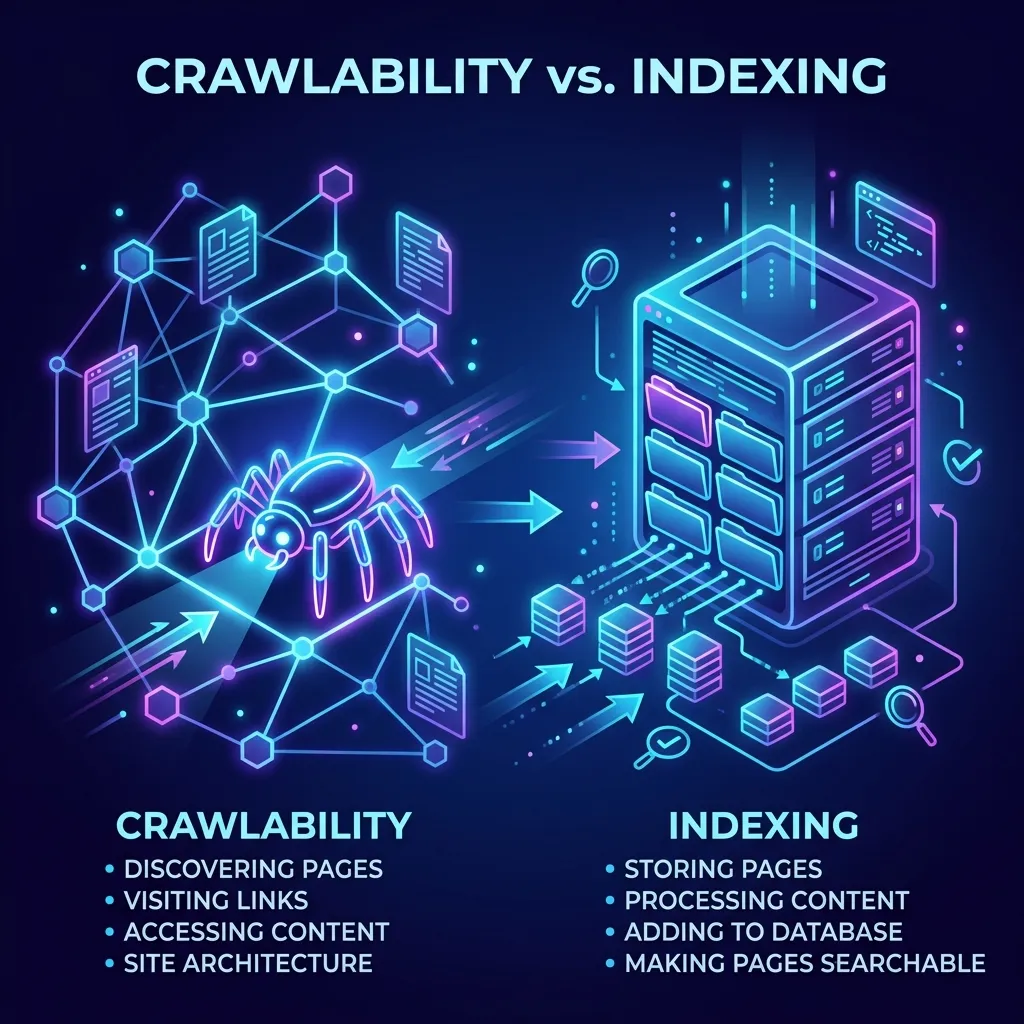
1. Crawlability & Indexing
Before your site can rank anywhere, search engines have to find every page and understand what it’s for. If a page is buried, blocked, or confusing to reach, it may never show up in search results at all — no matter how good the content is.
Think of it this way: a librarian can only recommend books she knows exist. If a book is missing from the card catalog, it might as well not be on the shelf. Crawlability is making sure every page in your “library” has a clear, accurate card.
2. Site Speed
Slow websites lose customers before those customers ever see what you offer. A few extra seconds of loading time is often the difference between a visitor who calls you and one who quietly leaves for a competitor.
Think of it this way: a checkout line at a store. A short wait is fine. A five-minute wait, and people put the basket down and walk out — even if what’s in the basket is great.
3. Mobile Friendliness
For most small businesses, more visitors arrive on a phone than a computer. If your site is hard to tap, read, or navigate on a small screen, you’re creating friction for the majority of the people trying to reach you.
Think of it this way: a store with a beautiful front door for cars, but no sidewalk entrance for anyone walking up. Most of your customers are walking up.
4. Structured Data
This is extra, hidden information added to your pages that helps search engines understand precisely what your business is, what it offers, and where it’s located — rather than having to guess.
Think of it this way: labeling every shelf in the store clearly instead of leaving a robot shopper to guess what’s in each box. The clearer the label, the more confidently that information gets passed along to the customer.
5. Security (HTTPS)
A secure connection protects the information moving between your site and your visitor, and it’s also a trust signal — both to browsers, which will flag insecure sites, and to search engines, which factor security into rankings.
Think of it this way: a locked, well-lit storefront versus one with a broken door. Even if nothing bad has ever happened, people notice the difference and trust one more than the other.
6. Site Architecture
This is the overall organization of your site: how pages connect to each other, how deep a visitor has to click to find something, and whether the structure makes logical sense.
Think of it this way: well-marked aisles in a store, grouped by category, with signs pointing the way. A well-organized store keeps people moving toward what they need instead of wandering out the door.
This is the piece we go a lot deeper on in our companion guide, Web Content Architecture, Explained — technical SEO cares whether the structure is crawlable, content architecture is about whether the structure makes sense to a human in the first place.
| Pillar | Diagnostic Tools | Benchmark / Target | Priority |
|---|---|---|---|
| Crawlability | Google Search Console, Screaming Frog | Zero index errors, 100% of main pages crawled | Critical |
| Site Speed | PageSpeed Insights, GTmetrix, Lighthouse | LCP under 2.5s, Performance score 90+ | Critical |
| Mobile Friendliness | Google Search Console, Chrome DevTools | Zero mobile usability errors (no tiny text/touch targets) | Critical |
| Structured Data | Schema.org Validator, Rich Results Test | Valid schema mapping for LocalBusiness & Services | High |
| Security | SSL Labs, securityheaders.com | Valid SSL, secure response headers (HSTS, CSP) | High |
Our Process at Risal Systems
Technical SEO isn’t a one-time fix — it’s a discipline. Here’s how we approach it for every client site.
Step 1 — Audit
- We run a full technical review of your site: speed, crawlability, mobile behavior, security, and structure.
- We identify what’s already working, and what’s quietly costing you visibility or visitors.
Step 2 — Prioritize
- Not every issue matters equally. We rank findings by real-world impact, so effort goes where it moves the needle.
Step 3 — Fix
- We implement the technical improvements directly — no vague recommendations left for you to figure out.
Step 4 — Verify & Monitor
- We confirm the fixes actually took effect, and keep an eye on the site going forward so small issues don’t quietly become big ones.
The goal isn’t a one-time checklist. It’s a site that stays healthy as it grows — new pages, new content, and new traffic shouldn’t come with new technical problems.
What This Means for Your Business
Technical SEO rarely shows up as a single dramatic result. It shows up as a pattern: pages that load faster, search results that include your business more often, and a site that simply works, wherever and however someone finds it.
For a small business, that translates directly into practical outcomes:
- More of the right people finding you through search, without paying for every click.
- Fewer visitors bouncing off a slow or confusing site before they ever see what you offer.
- A site that looks and feels credible — which matters, because people judge trustworthiness fast.
- A foundation that supports everything else you do online, from content to advertising to word of mouth.
It’s the part of your website nobody compliments — because when it’s working, it’s invisible. You only notice it when it’s missing.
Getting Started
If you’re not sure where your site currently stands, that’s the right first question to ask — not the last. A short technical audit will tell you exactly what’s working, what’s costing you visibility, and what to prioritize first.
Reach out to Risal Systems and we’ll walk you through it in plain language, step by step.
Related reading:
- Why Isn’t My Small Business Showing Up on Google?
- Web Content Architecture, Explained
- Social Media Linking, Explained
- SEO, AEO, GEO, AIO & SXO, Explained
- SEO & AEO for Small Business: The Complete Resource Hub
- Google Business Profile for Georgia Service Businesses (2026 Setup Guide)
- How Much Does Website Maintenance Cost? (2026 Breakdown)