The Four Costs of Any Automation
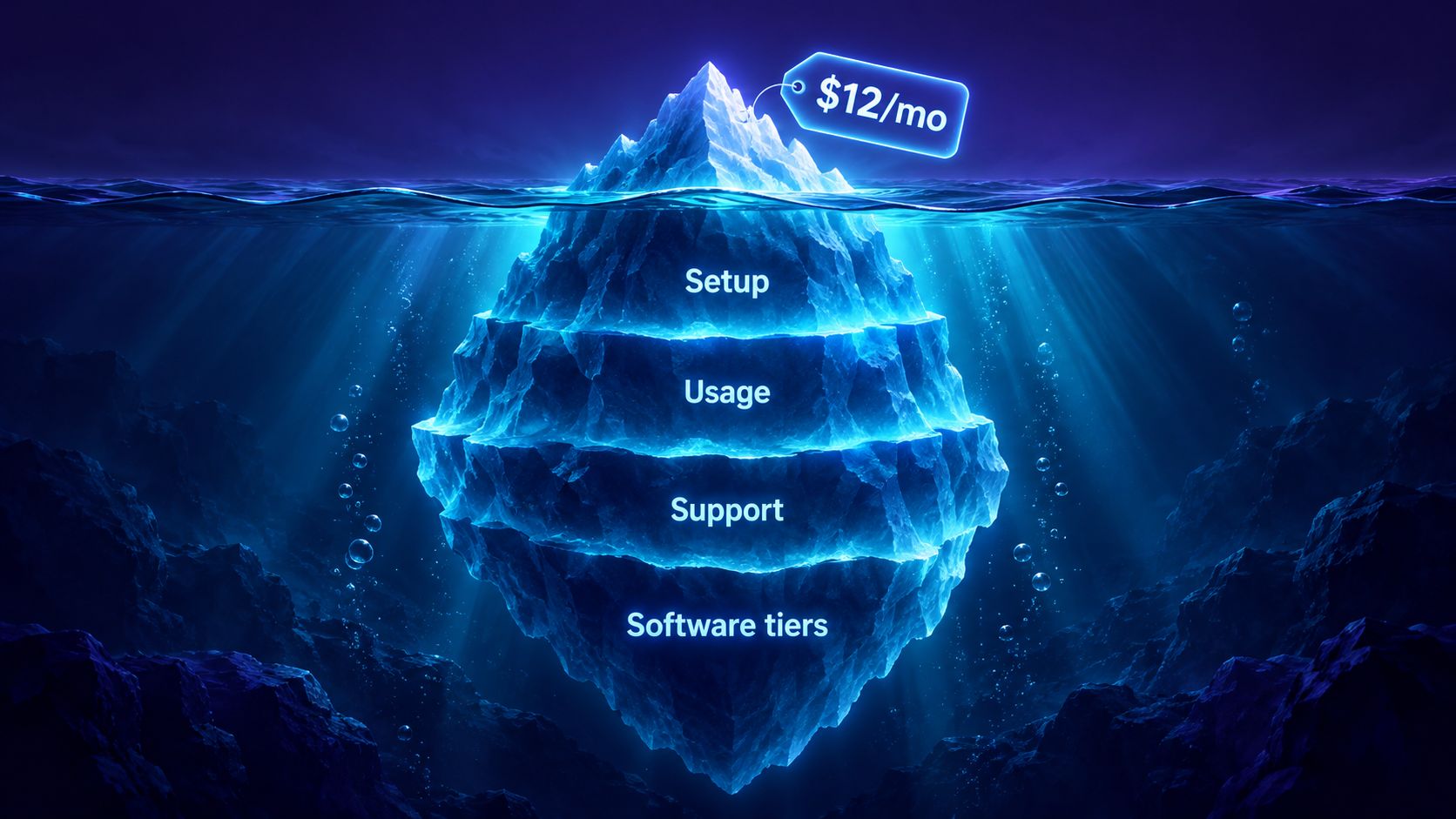
Every automation project, from a two-step form notification to an AI assistant that books appointments, is made of the same four costs. Separate them before you compare quotes.
| Cost | What it covers | How it's charged |
|---|---|---|
| Setup | Planning, configuration, connecting your tools, testing, launch | One-time fee |
| Software | The automation platform, CRM, booking tool, AI assistant | Monthly or annual subscription |
| Usage | Text messages, AI conversations, platform activity past your allowance | Per use |
| Support | Fixing failed runs, expired connections, changes to your process | Support plan or quoted per change |
Not every project has all four. If you already pay for a CRM or booking tool, the automation can often use it. But a new integration sometimes needs a higher software tier than the one you’re on, so ask.
The number that matters is what it costs to build and run the workflow for a year, not the advertised monthly price of one tool. And make sure your quote is itemized: you should be able to see which costs go to your developer and which go to software providers.
One Workflow or Several Systems?
Setup cost depends far more on what has to happen than on how many apps get connected.
A single workflow
One clearly defined process. For example:
- A customer fills in your website’s contact form.
- Their details go into a spreadsheet or CRM.
- You get a notification.
- The customer gets an acknowledgment.
Even this needs testing. What happens if they submit twice, skip a required field, or your CRM is briefly down?
Several systems working together
A process that coordinates several tools. For example: the website captures an inquiry, the CRM creates or updates the customer, the inquiry is assigned to a team member, booking software schedules the appointment, a reminder goes out, and the CRM records the result. (We walk through where this kind of chain tends to lose customers in From Website Inquiry to Booked Appointment.)
The extra work isn’t the connections. It’s deciding which system is the source of truth for each piece of information, how updates flow between them, and what happens when one step fails. Two projects with the same number of apps can need very different amounts of work.
What Automation Software Costs
The automation platform runs your workflow. The two most popular for small businesses both have free plans:
| Platform | Price | Included |
|---|---|---|
| Make Free | $0 | 1,000 credits a month |
| Make Core | $12/month billed monthly (about $10.20 billed annually) | 10,000 credits a month |
| Zapier Free | $0 | 100 tasks a month |
| Zapier Professional | $19.99/month billed annually ($29.99 billed monthly) | 750 tasks a month at the entry tier |
Tasks and credits aren’t customers
This is where budgets go wrong. Platforms charge per step, not per customer. Zapier counts each successful action as a task but never the trigger that starts the workflow. Make charges credits for each module that runs, such as adding a spreadsheet row or fetching data from an app, and depending on the trigger type the trigger can use a credit too.
The workflow above is a trigger (the form submission) plus three actions:
One website inquiry, counted the way the platforms bill it
- Add to CRM +1
- Notify you +1
- Email the customer +1
- Per inquiry
- 3 tasks on Zapier · 3–4 credits on Make
- × 500 inquiries a month
- 1,500 tasks · 1,500–2,000 credits
So 500 inquiries a month is roughly 1,500 tasks on Zapier or up to 2,000 credits on Make, not 500. That’s past Zapier’s free plan and double its 750-task Professional entry tier, but comfortably inside Make Core’s 10,000 credits. Count every step, including follow-ups and scheduled checks, before choosing a plan.
Usage Costs: Text Messages and AI
Text messages
Texting is cheap per message but has several parts. Using Twilio’s published US prices:
- $0.0083 per message segment, sent or received. A long text can be split into several segments, each charged.
- $1.15 a month for a local phone number.
- Carrier fees on top, about $0.0035–0.0045 per message depending on the network.
- Registration fees for business texting, which US carriers require.
So 500 outbound texts a month costs roughly $4.15 in messages, about $2 in carrier fees and $1.15 for the number: around $7.30 a month before registration fees and replies. That’s the running cost of something like missed-call text-back.
AI assistants
An AI chatbot should come with its own price breakdown: setup, a monthly plan, what’s included, and what happens when you use more. That last question is the one to press on. Some products shut off or slow down at the limit; others bill large overages.
Here’s how we price Riley, our AI assistant, as a concrete example:
| Riley plan | Monthly | Conversations included | Each extra conversation |
|---|---|---|---|
| Foundations | $49 | 400 (about 13 a day) | $0.25 |
| Growth | $99 | 900 | $0.20 |
| Premium | $199 | 1,800 | $0.15 |
A conversation is one visitor’s chat; after 15 minutes of silence, a new message starts a new one. Riley never shuts off when you pass your allowance. Extra conversations are billed at the plan’s rate, and you get an email at 50%, 80% and 100% of your allowance so a busy month is never a surprise.
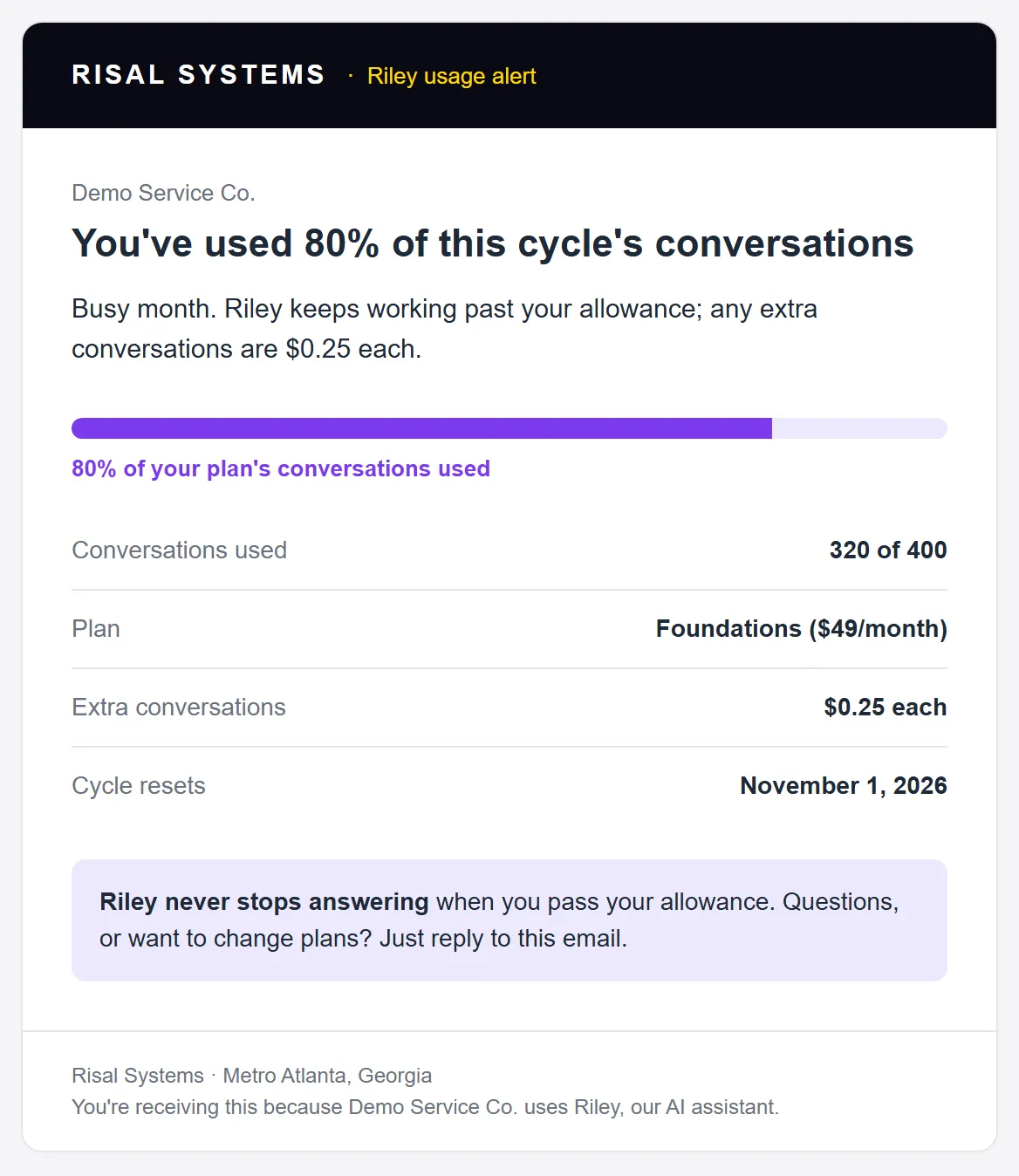
The 80% alert as Riley sends it, shown for a demo account.
Setup is a one-time fee: $500 on a website we built, $950 on your existing site, and from $2,000 when Riley needs to connect to a CRM or other custom systems. For comparison, our complete guide to AI chatbots puts typical managed-agency setup at $1,000–$5,000 with monthly fees of $300 or more.
What Makes Setup Cost More
The number of connected tools is only part of the scope. Four things move a quote up:
- Exceptions and business rules. New vs. existing customers, different service areas, rescheduling, incomplete submissions, staff assignments, failed payments. Write these down before work starts, or the quote will describe a simpler process than you actually run.
- Data cleanup. Connecting two systems doesn’t make their records match. Duplicate customers, inconsistent phone numbers and mismatched status labels may need fixing first. Ask whether that’s included.
- Account access. Every connection needs permission. Settle who owns each account, who can authorize connections, and what happens when a password changes or an employee leaves.
- Custom connections. A ready-made connector is quick. When none exists, someone has to build the connection to the app’s API, including login handling, field mapping and error handling. Ask which your quote assumes.
Two Worked Examples
Example 1: Website inquiry to CRM
A small service business wants each website inquiry added to its existing CRM, with a notification to the owner and an acknowledgment to the customer. Assume about 500 inquiries a month, the CRM and email it already pays for, no texting and no AI. Setup uses our starting price for automation projects, about $1,000; your quote depends on the details above.
| Item | Cost |
|---|---|
| Setup (starting price) | $1,000 once |
| Make Core (up to about 2,000 credits used) | $12/month |
| First year | $1,144 |
That’s $1,000 plus 12 months at $12. Notice what’s not in it: website hosting. If your site is hosted with us at $35 a month, that bill already exists, so don’t count it again as an automation cost.
Example 2: Riley on an existing website
A business adds Riley to its current site on the Foundations plan and stays within 400 conversations a month.
| Item | Cost |
|---|---|
| Setup on an existing site | $950 once |
| Foundations plan | $49/month |
| First year | $1,538 |
A month with 450 conversations would add 50 × $0.25 = $12.50. Year two drops to $588 because there’s no setup fee.
First year vs. year two, on the same scale
Example 1: inquiry to CRM
Example 2: Riley on an existing site
Is It Worth Building?
Estimate conservatively. Say the business in Example 1 spends three minutes copying and routing each of 100 inquiries a month: five hours of admin. If that time is worth $25 an hour, the workflow frees up about $125 a month of capacity against $12 in software.
Freed-up time isn’t the same as saved cash. It usually becomes faster replies, more time with customers, or fewer evenings doing admin, not a smaller payroll. That’s still valuable; just budget for it honestly.
When to wait
Automation may not be worth it yet when:
- The task is rare.
- The process changes constantly.
- Most cases need human judgment.
- A tool you already have can do it.
- The running and support cost is more than the time saved.
- Your customer data needs cleaning up first.
Sometimes a better form, a clearer process or a built-in feature of your existing software is enough.
What Ongoing Support Should Cover
Before launch, agree who handles:
- Failed workflow runs and expired connections.
- Changes made by the software providers.
- Usage limits and unexpected charges.
- Testing after updates.
- Changes to your own process.
Keeping the original workflow running is different from adding a new app or redesigning the process; the agreement should say which is which. Websites follow the same pattern; see what website maintenance costs.
Questions to Ask Before You Approve a Quote
- What exactly is the workflow, step by step?
- Which exceptions will it handle?
- What’s the one-time setup fee?
- Which subscriptions will I need, and at which tier?
- What usage is included, and what happens when I go over?
- Who owns the accounts and the customer data?
- What testing and documentation will I get?
- What support is included, and what counts as a billable change?
Prices checked October 2026. Software pricing changes often, so confirm current rates before you budget.
Related reading:
- Business Automation Resource Hub
- From Website Inquiry to Booked Appointment
- Why Missed Call Text-Back Is the Highest-ROI Automation
- The Complete Guide to AI Chatbots for Small Business (2026)
- How We Add an AI Assistant to Your Website
- How Much Does Website Maintenance Cost? (2026 Breakdown)
Get a workflow-specific estimate
Tell us the tools you use, how often the task happens and the exceptions your team handles. We'll scope it and separate setup, software, usage and support, so you know what you're paying for before anything is built.