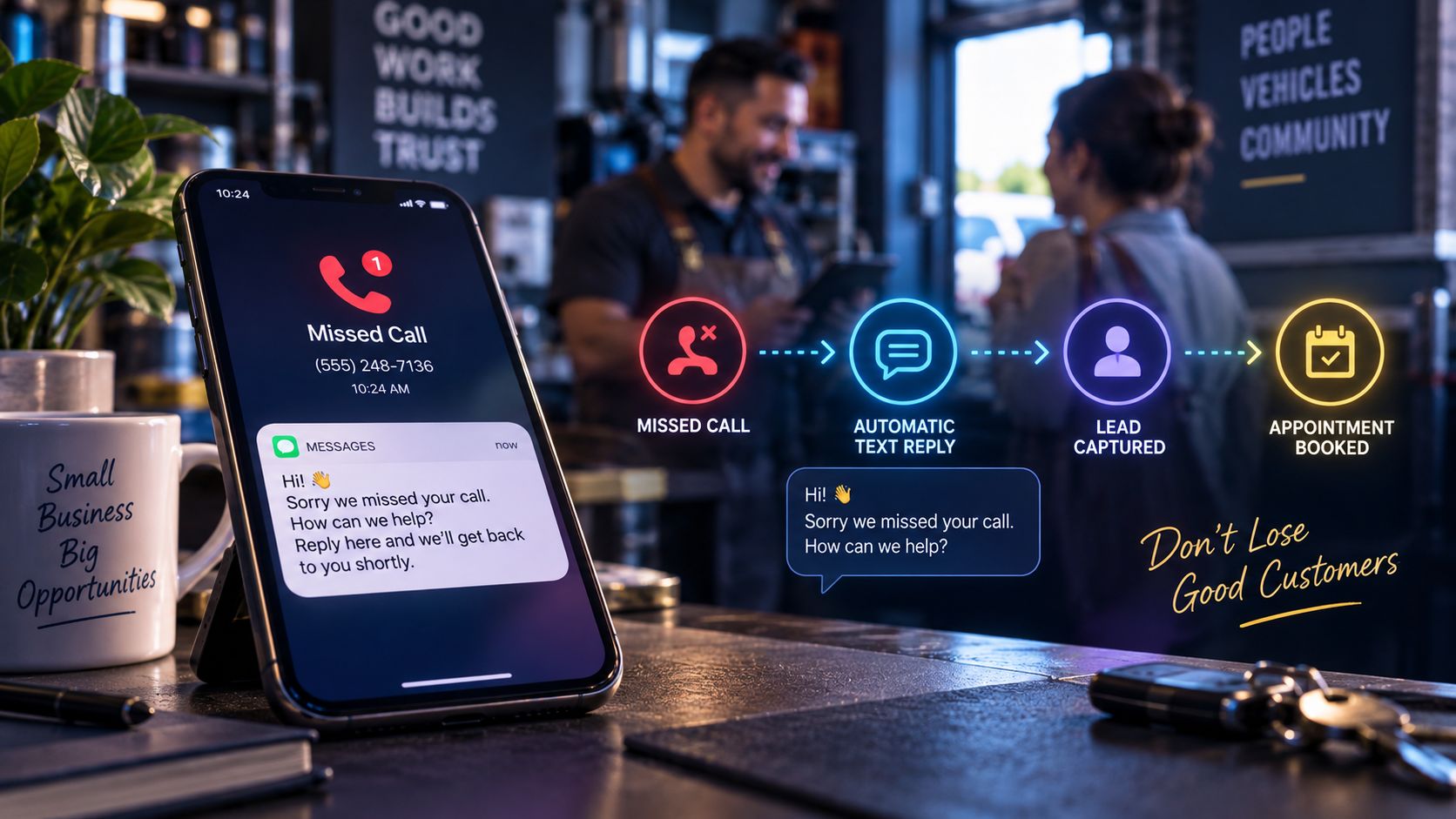
If you run a local service business, your phone is your lifeline. But it’s also a major source of lost revenue.
Data shows that 62% of calls to small businesses go unanswered, and 85% of those callers will not leave a voicemail. Instead, they hang up and click the next competitor in the Google search results.
Whether you are running a local service business in the Metro Atlanta area (from Gwinnett County to Midtown) or scaling a national service brand, you cannot afford to let hot leads slide into voicemail.
The solution is a simple, high-impact automation: Missed Call Text-Back.
The Math Behind a Missed Call
Let’s look at the financial impact of missed calls for a typical home service or professional service business:
- Average Lead Value: $250
- Weekly Unanswered Calls: 10
- Voicemail Conversion Rate: < 15%
- Lost Revenue per Week: ~ $2,125
- Lost Revenue per Year: Over $110,000
In search marketing (SEO and Local Search), getting the visitor to click your listing is only half the battle. If they call and get your voicemail, they treat it as a dead end. In 2026, consumer patience is zero. They want an immediate answer.
How Missed Call Text-Back Works
Missed call text-back is an automated system that intercepts unanswered calls and immediately initiates an SMS conversation to secure the lead.
sequenceDiagram
    actor Customer
    participant Phone as Business Phone System
    participant Automation as Automation Engine
    participant CustomerSMS as Customer's SMS

    Customer->>Phone: Dial Business Number
    Note over Phone: Call goes unanswered (on a job, after hours)
    Phone->>Automation: Trigger Webhook (Missed Call Event)
    Automation->>CustomerSMS: Send SMS: "Sorry we missed you! How can we help?"
    CustomerSMS->>Automation: Customer replies with project details
    Automation->>Phone: Notify business owner / Add to CRM
The process happens in under 30 seconds:
- A customer calls your business number, but you’re on a job, driving, or it’s after hours.
- The system detects the unanswered call (missed or busy status).
- An automation handler triggers a webhook.
- The system sends a text message to the caller:
“Hey there! Sorry we missed your call. We’re currently helping another client. How can we help you today?”
- The customer replies, keeping them engaged and stopping them from calling your competitors.
Implementation Options: No-Code vs. Custom Systems
For businesses looking to implement this, there are two main paths:
1. The No-Code Route (Zapier / Make)
You can link your VOIP provider (like RingCentral, OpenPhone, or Dialpad) to an SMS gateway (like Twilio) using Zapier or Make.
- Pros: Faster setup.
- Cons: Transaction costs per run, potential delay/latency, and API changes can break the workflow.
2. Custom API Handlers
Building a lightweight, custom serverless function (e.g., using Netlify Functions or Supabase Database Triggers) directly communicating with Twilio and your CRM.
- Pros: Near-zero operational costs, sub-second execution speeds, and highly customized logic (e.g., checking if the caller is already an active client in your database before choosing the text response).
- Cons: Requires initial development.
A 4-Point Checklist to Get Started
If you want to stop losing leads to voicemail, here is your setup checklist:
- Get an automation-friendly VOIP system: Ensure your business line supports call status webhooks.
- Craft a warm, human message: Avoid sounding like an aggressive robot. Keep it helpful: “Sorry we missed you, we’re currently on a job. What service are you looking for?”
- Notify your team: Ensure that when the customer replies, your phone alerts you so you can step in and close the deal.
- Log the lead: Automatically sync the conversation into a CRM (like HubSpot or a custom Supabase database) so you have a record of every lead captured.
Catching the lead is half the job. Turning that reply into a booked appointment is the other half, and it has its own leaks. We walk through all five, including one we found in our own AI assistant, in From Website Inquiry to Booked Appointment.
Related reading:
- Business Automation Resource Hub
- From Website Inquiry to Booked Appointment
- How We Add an AI Assistant to Your Website
- SEO & AEO Resource Hub
- Local SEO Case Study: Duke’s Cleaning
- Google Business Profile for Georgia Service Businesses (2026 Setup Guide)
Want to set up automated lead capture for your business? At Risal Systems, we build custom web platforms and automated workflows that turn missed calls into paying clients. Based in Metro Atlanta and serving clients nationwide, we can deploy a dedicated text-back pipeline for your business. Get in touch to learn more.